The Winter '26 Marketing Playbook: Salesforce Updates Explained

Ben Asfaha
CEO, PipeLaunch

Salesforce Winter ’26 is packed with updates that make life easier for marketers. From engaging customers in new ways to testing campaigns safely before going live, there’s a lot to explore. Let’s break down the key updates and what they mean for your marketing workflow.
Marketing Cloud Account Engagement (Previously Pardot)
1. Better Ways to Pull in Your Engagement Data
Source: Salesforce
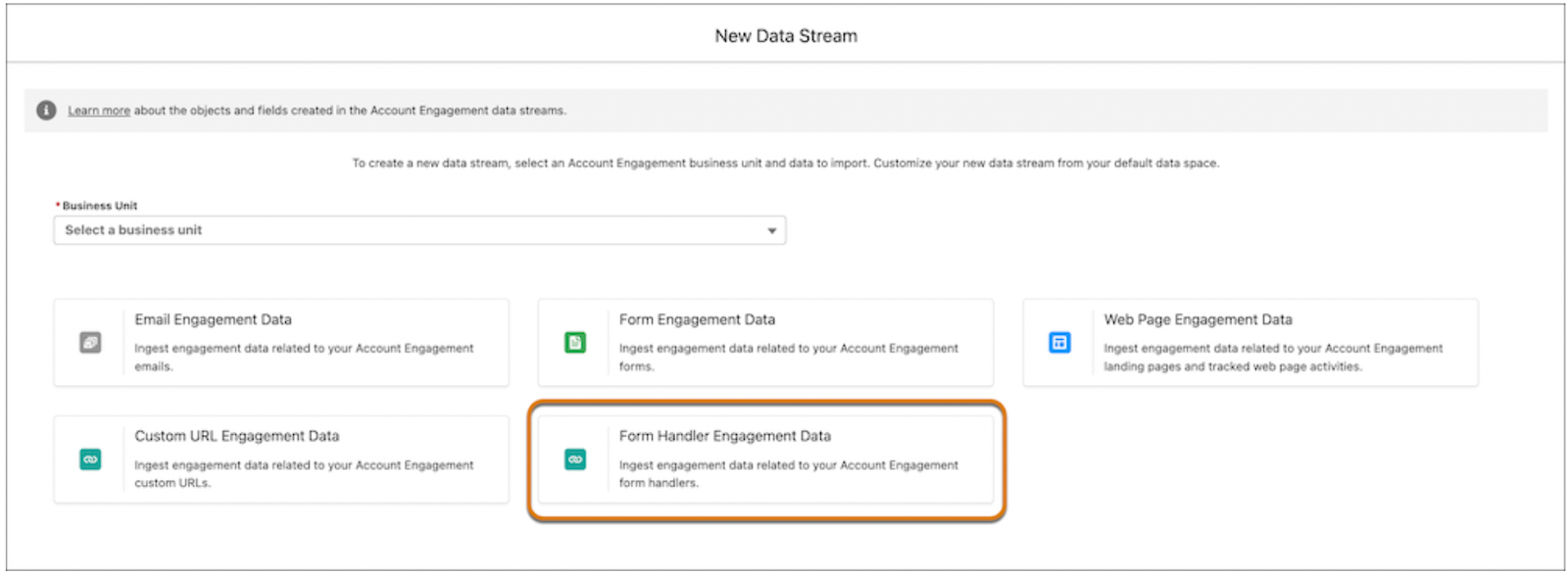
For those who have been struggling with third-party form data, there is good news: you can now easily import all of that engagement data directly into Data Cloud.
The best part is that, if you're using Data Cloud One, the segments you make in your primary organisation can be automatically added to dynamic lists in all of your companion organisations. Additionally, you can save time by updating your Account Engagement CRM bundle, which keeps your data up to date without requiring you to constantly monitor it.
Who can use this? You're good to go if your company uses Enterprise, Performance, or Unlimited editions and you have Marketing Cloud Account Engagement.
2. Agentforce Has Made Prospect Management Much Easier
When you needed to update a prospect or make changes to a nurture campaign, did you ever have to switch between screens? Those times are gone. No matter where you are working in Salesforce, you can manage your campaigns and all of your prospect updates with Agentforce.
This feature is more than just a nice-to-have; it saves time and keeps your campaigns running smoothly without interfering with your workflow.
Who gets access? You can use these Agentforce actions regardless of whether you are on the Developer, Enterprise, Performance, or Unlimited editions with Marketing Cloud Account Engagement.
Marketing Cloud Next
1. Use Mobile App Messaging to Connect with Your Users
Source : Email uplers
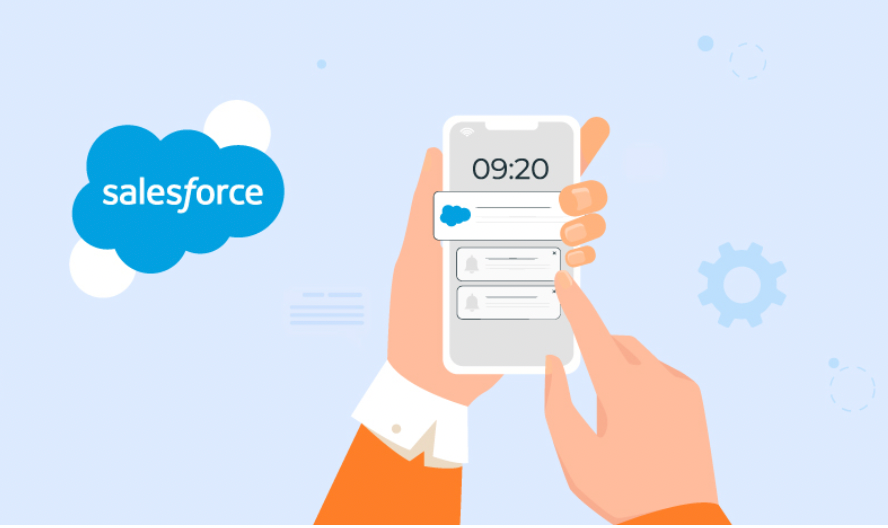
With interactive push notifications, you can now communicate with your clients directly on their mobile devices. A carousel with up to six swipeable cards or a single card message are both excellent ways to interact with your audience. Additionally, you can monitor views, clicks, and opens for both individual messages and the campaign as a whole.
Who Can Use It: Accessible to businesses using the Marketing Cloud Next Advanced edition on Enterprise or Unlimited editions.
Practical Tip: See which seasonal products receive the most taps by attempting to send a carousel push that highlights them. This provides you with immediate insight into the things that your audience finds appealing.
2. Use Agentforce to Improve Campaign Creation and Analysis
Source: Salesforce
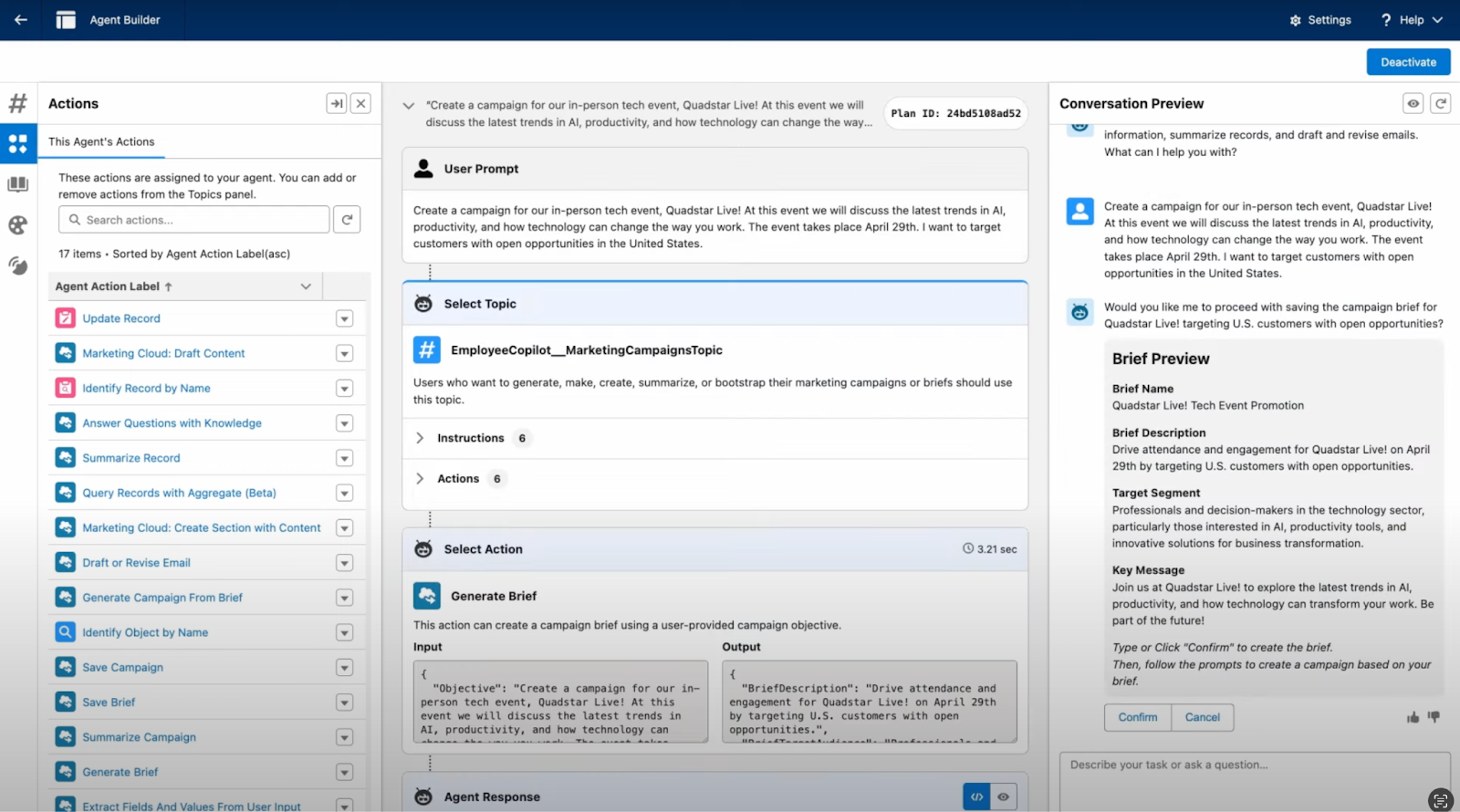
Essentially a smart assistant for marketers, Agentforce now assists you in creating campaign briefs, establishing multichannel campaigns, and obtaining a brief overview of past campaign performance.
Who Can Use It: Marketers utilising Lightning Experience on Enterprise, Performance, Unlimited, or Developer editions with Marketing Cloud Next Growth or Advanced edition, along with the Agentforce Employee Agent add-on, are eligible to use it.
Practical Tip: Use Agentforce to examine the outcomes of your previous campaigns and let it suggest changes for your upcoming email series, such as changing the send times or improving the subject lines.
3. Produce Captivating Content Quickly and Connect with More Clients
Source: Salesforce
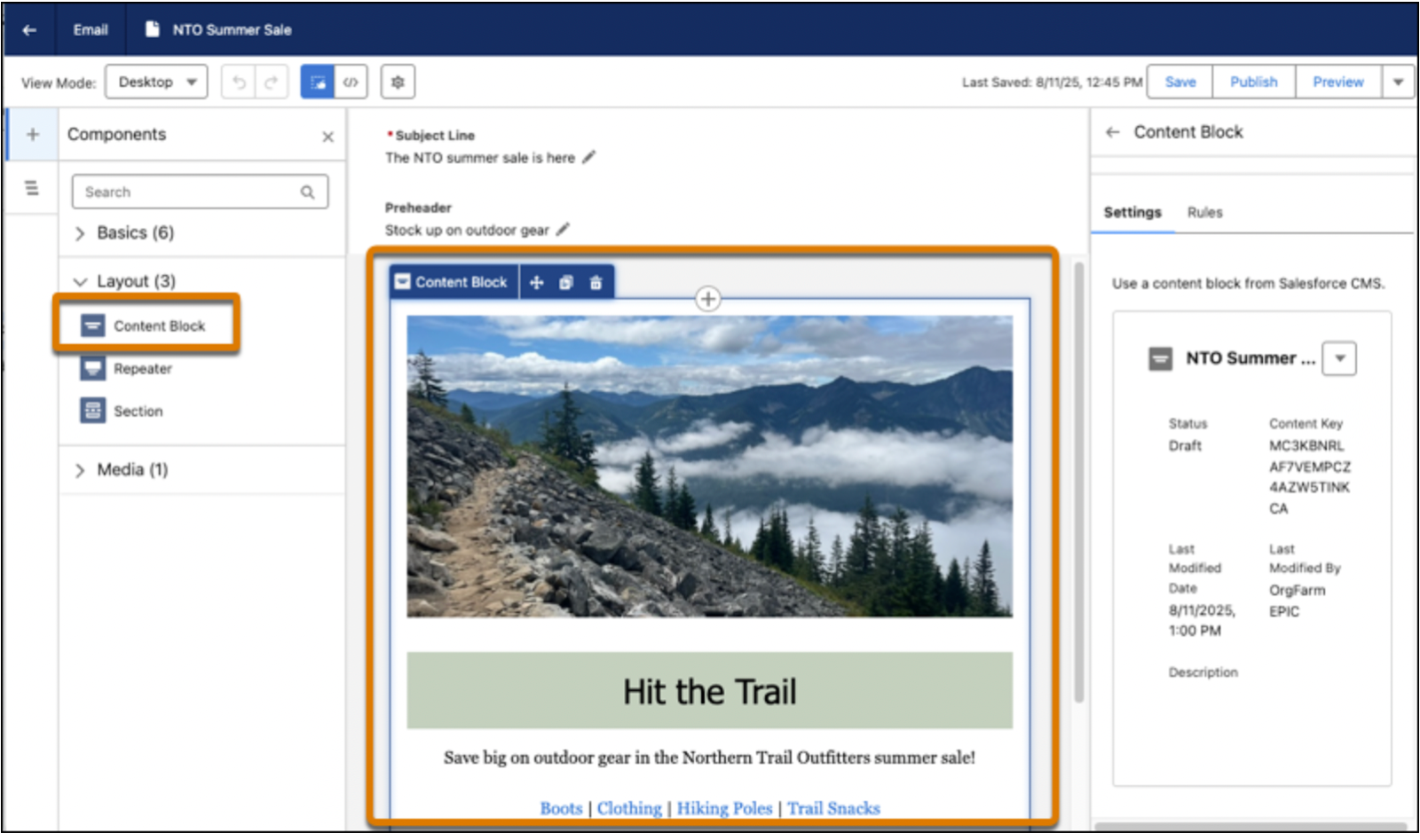
Creating consistent, customised messages for WhatsApp, SMS, and email is now simpler than ever with Salesforce Winter '26. Email templates and reusable content blocks expedite email creation while maintaining brand consistency. With the help of pre-built banners, footers, images, links, and buttons, you can now quickly put together emails. You can even make distinct blocks for various audiences. Your messages will be automatically tailored for the appropriate recipients once you add variation rules.
By assisting you with the creation, editing, and optimisation of marketing content, the new Content Builder Agent goes above and beyond. In order to preserve brand voice and increase productivity, the agent collaborates with your team on subject lines, body copy, SMS messages, and WhatsApp content. Additionally, you have greater control over the sources of personalisation data, which allows you to more easily manage merge fields, repeaters, and dynamic content as well as swap or remove data graphs.
In addition to email, marketers can now use interactive WhatsApp messaging features like location sharing, call-to-action buttons, and carousel messages. This enables you to display a variety of products, give prompt updates, and start follow-up processes in response to client feedback. Additionally, SMS support has been extended to Singapore, Hong Kong, Honduras, and Peru, creating new global opportunities.
Who Can Use It: Marketing Cloud Next Growth or Advanced editions, as well as Enterprise and Unlimited editions.
Practical Tip: To deliver a unified, customised campaign across multiple channels while monitoring performance in real time, create an email using reusable content blocks, let the Content Builder Agent edit your subject line, and add interactive WhatsApp elements.
4. Gather More Information and Customise Landing Pages
Source: Salesforce
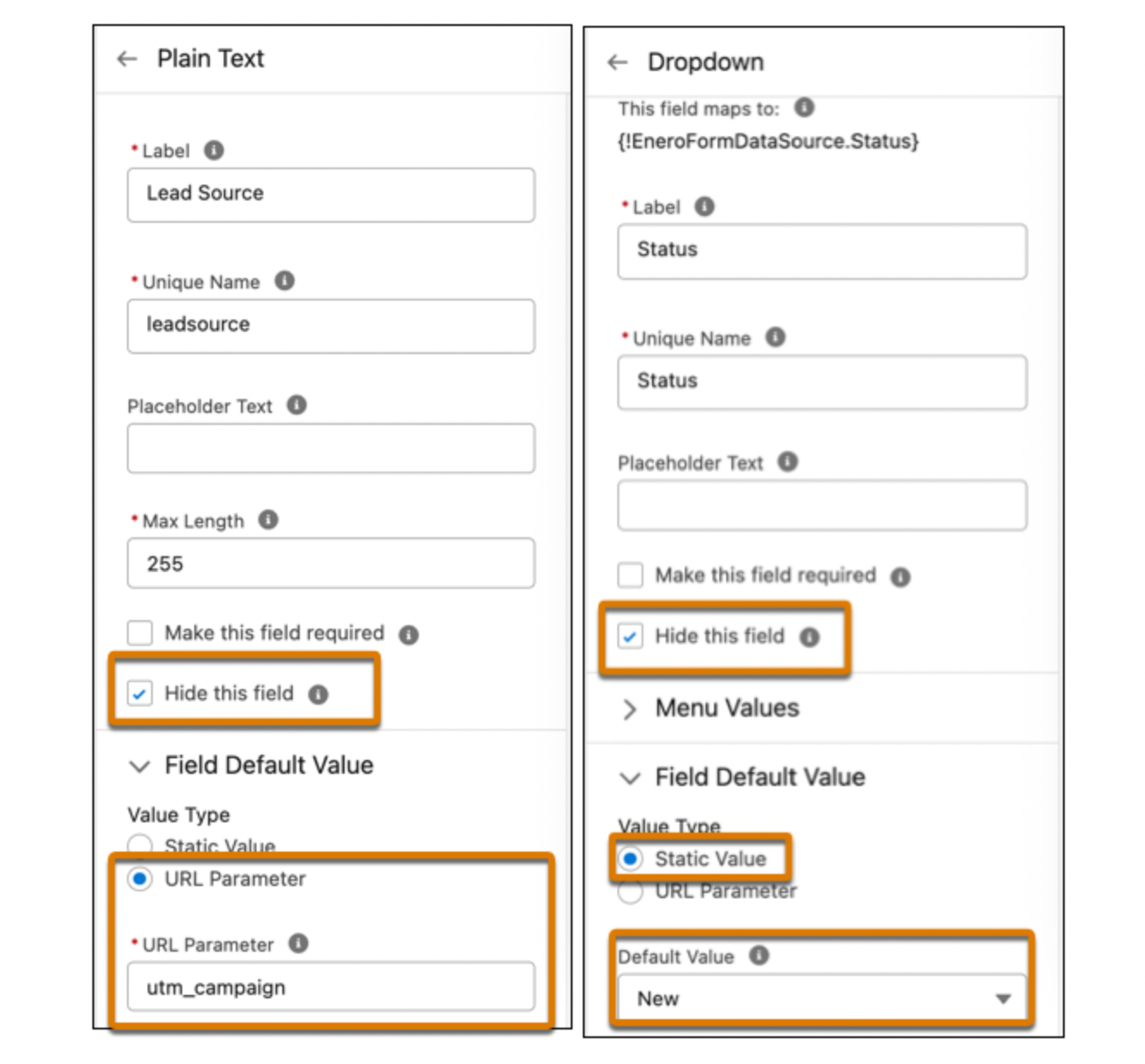
With merge fields, external form connections, hidden fields, and default values, forms are now more intelligent. Even without a developer, you can quickly launch landing pages with templates and new HTML tags.
Who Can Use It: Starter or Pro Suite editions, Enterprise and Unlimited editions, and Marketing Cloud Next Growth or Advanced editions.
Useful Tip: For a better experience, pre-fill the webinar registration page with the attendees' information and add their name and company to the confirmation message.
5. Test Marketing Cloud Next in a Sandbox Org

Source: Redk
Sandboxes are perfect for testing complex campaigns before they go live because they allow you to safely test new Marketing Cloud Next features without affecting active campaigns.
Who Can Use It: Enterprise and Unlimited editions with Marketing Cloud Next Growth or Advanced editions.
Practical Tip: To identify any problems before the actual launch, run a complete multichannel campaign in a sandbox first, including emails, push notifications, and landing pages.
Wrapping Up
Winter ’26 is all about making your marketing smarter, faster, and more personalized. Whether it’s engaging audiences with push notifications, streamlining campaigns with Agentforce, or personalizing landing pages, these updates are here to help you work more efficiently. Play around with the sandbox features, test your ideas, and take full advantage of what’s new to get the best results from your campaigns.
Turn Salesforce Updates into Results with PipeLaunch:
All these new Salesforce updates give marketers more ways to engage, personalize, and scale campaigns. But here’s the thing, your results will only be as good as the data powering your workflows. Outdated or incomplete records can still slow you down, no matter how advanced the tools are.
That’s where PipeLaunch comes in. By enriching your Salesforce data and keeping it clean, PipeLaunch ensures your marketing automation and personalization efforts are always working with the most accurate information. Think of it as the layer of data hygiene that keeps every push notification, campaign flow, and personalized landing page running at its full potential.
If you’re ready to see how PipeLaunch can help your team, book a demo today and experience the difference of clean, enriched data in action.
Ben Asfaha
CEO, PipeLaunch